1. Enable it in your org.
Setup->Search for Einstein For Developers->Enable the Checkbox

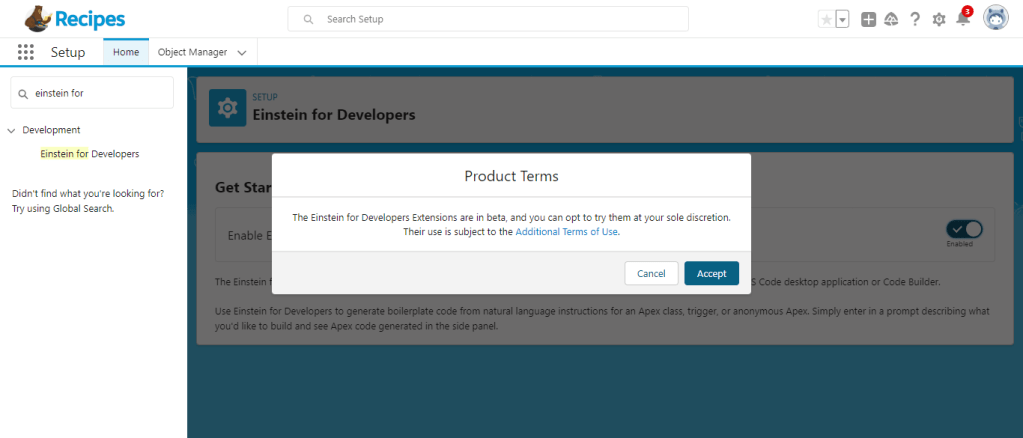
2. Install Einstein For Developers extension in VS Code. Make sure you already have Salesforce Extension Pack Installed.

3. Authorize your org and then generate code with the Einstein extension editor.

OR
4. If you want to generate code inside your apex class then:
⚫ Open an existing Apex (.cls) file, or create one from the command palette by running the SFDX: Create Apex Class command.
⚫ Put your cursor on the line in the file where you want the generated code to be placed.
⚫ From the Command Palette, run Einstein: Generate Code.
For your query, enter a description of the code that you want to generate. For example, “Write a method that takes an account as a parameter and returns all contacts associated with that account.”
⚫Review the code that Einstein generates, and then click Accept, Try Again, or Clear.
Tip: To access the Einstein: Generate Code command through hotkeys, press Cmd+r (macOS) or Ctrl+r (Windows or Linux).
/


 SFDCWallah
Leave a comment