- Use instance URL which is returned after getting your access token. For example:
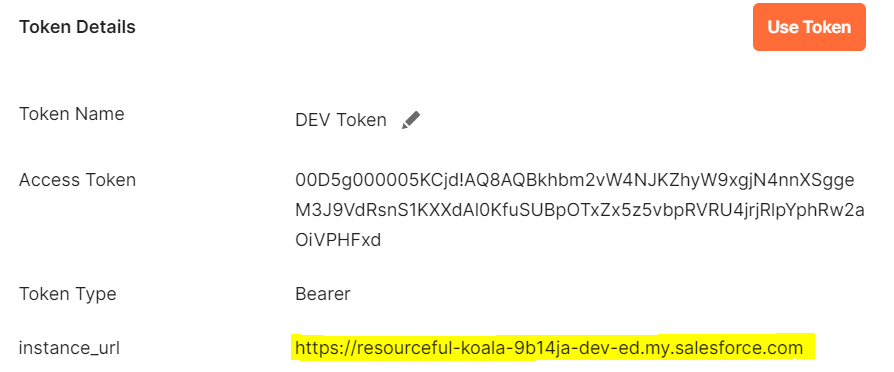
Use this instance_url while doing GET or POST request, otherwise you will get Session Id Invalid error.
2. If you are not able to GET NEW ACCESS TOKEN then try to add security token with your password and then try. For example:
password+securitytoken without having any space.
then try to request it will work.
3. If you are not able to see RESET SECURITY TOKEN in your personal information, it means your user profile has IP Ranges restrictions. First try to remove or change the IP restrictions then you will be able to see that option.
4. If everything is ok but still you are not able to authorize so make sure your user is not locked. Sometimes after making multiple unsuccessful attempts it can be locked.
so check once it’s locked or not.
 SFDCWallah
Leave a comment