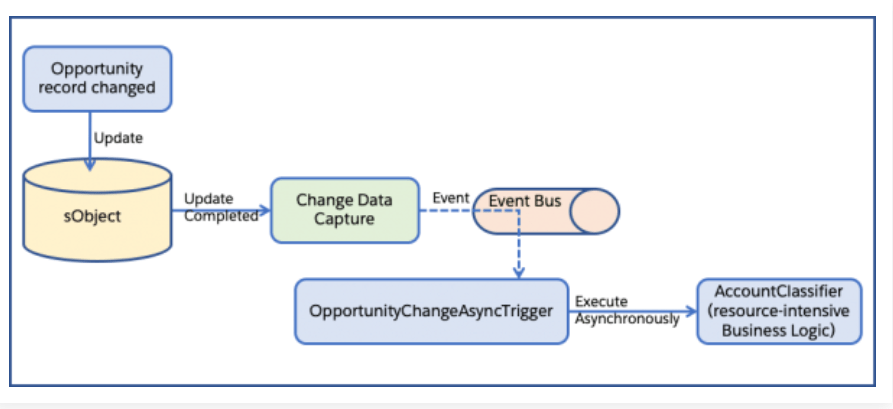
With asynchronous Apex triggers, we can move complex computations and logic out of the transaction. The net effect is the transactions become faster and Apex limits consumption is reduced.
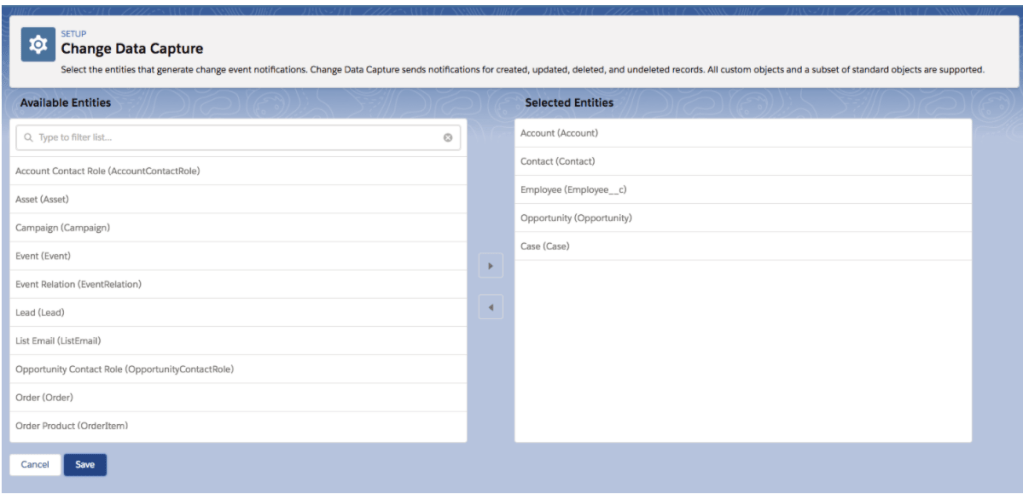
- First you need to enable Change Data Capture for the object to capture the data changes.
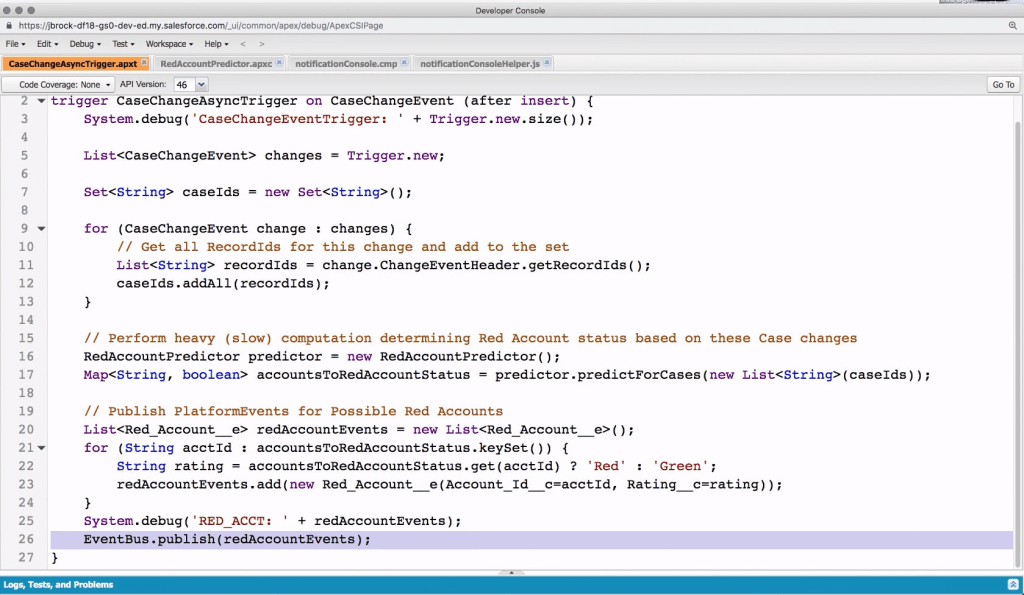
- Asynchronous Apex triggers are change event triggers that run asynchronously after a database transaction is completed.
- They are ‘after-insert’ triggers and can be defined with the after insert keywords.
- The change event object name is suffixed with ChangeEvent. For example, Account change event object is named AccountChangeEvent.
- The change event object name for the custom object is suffixed with __ChangeEvent.
- This feature can be enabled for any supported sObject in your org.
Let’s see the difference between Apex Triggers and Asynchronous Triggers
| Synchronous Apex Triggers | Asynchronous Apex Triggers |
| Trigger logic is executed and is guaranteed to be complete before the data is committed. | Triggers execute asynchronously after a transaction. |
| End-users get instant feedback for input errors, logic decisions, and computation results. | Less logic and computation inside the transaction leads to quick experiences and fewer limit concerns. |
| All processing, triggers, updates are considered one unit of work that completely succeeds or rolls back | Errors in processing won’t rollback or impact the transaction |
| One trigger per object is recommended | Having multiple Async triggers per object is fine contrary to one trigger per object and each Async trigger has its own set of limits. |
| We use oldMap and newMap for old and new values | You don’t need to use oldMap and newMap to see if field values have changed |
When should I use Async Triggers?
Any Calculation or piece of logic that can happen after the data is changed.
Processing that can happen “later”
- Heavyweight computations
- Einstein (or other ML/AI) operations
- Notifications to other systems
- Joining of data from different sources
- Summary Calculations
Some points to remember while creating an Async Trigger:
- As its a trigger, YOU CAN’T DO CALLOUT. Whereas you can do callouts in Batch/Future/Queueable.
- You don’t have control, let’s say in AccountChangeEvent you update the account’s field, it will again fire a new AccountChangeEvent CDC Event. Infinite Loops you are welcome 🙂
Notes:
- Debug logs are created under the Automated Process entity.
- They are subject to Apex synchronous governor limits.
- They have a maximum batch size of 2,000 event messages (the number of items in
Trigger. New). - Change Event Triggers are async and break transaction hence can be useful to break transaction , which in turn can help you save the CPU time.
- It’s based on publish and subscribe model where the processes will be loosely coupled(modules are not dependent on each other).



 SFDCWallah
Leave a comment