The Lightning Data Service save operation is used in two cases.
- To save changes to an existing record
- To create and save a new record
Second scenario we have already covered in this post:
Now we will see the first scenario when we are changing an existing record and saving the changes.
To save changes to an existing record,
- load the record in EDIT mode
- And call saveRecord on the force:recordDatacomponent.
- Since Lightning Data Service records are shared across multiple components, Loading records load the component with a copy of the record instead of a direct reference.
- If a component loads a record in VIEW mode, Lightning Data Service will automatically overwrite that copy with a newer copy of the record when the record is changed.
- If a record is loaded in EDIT mode, the record is not updated when the record is changed.
Component:
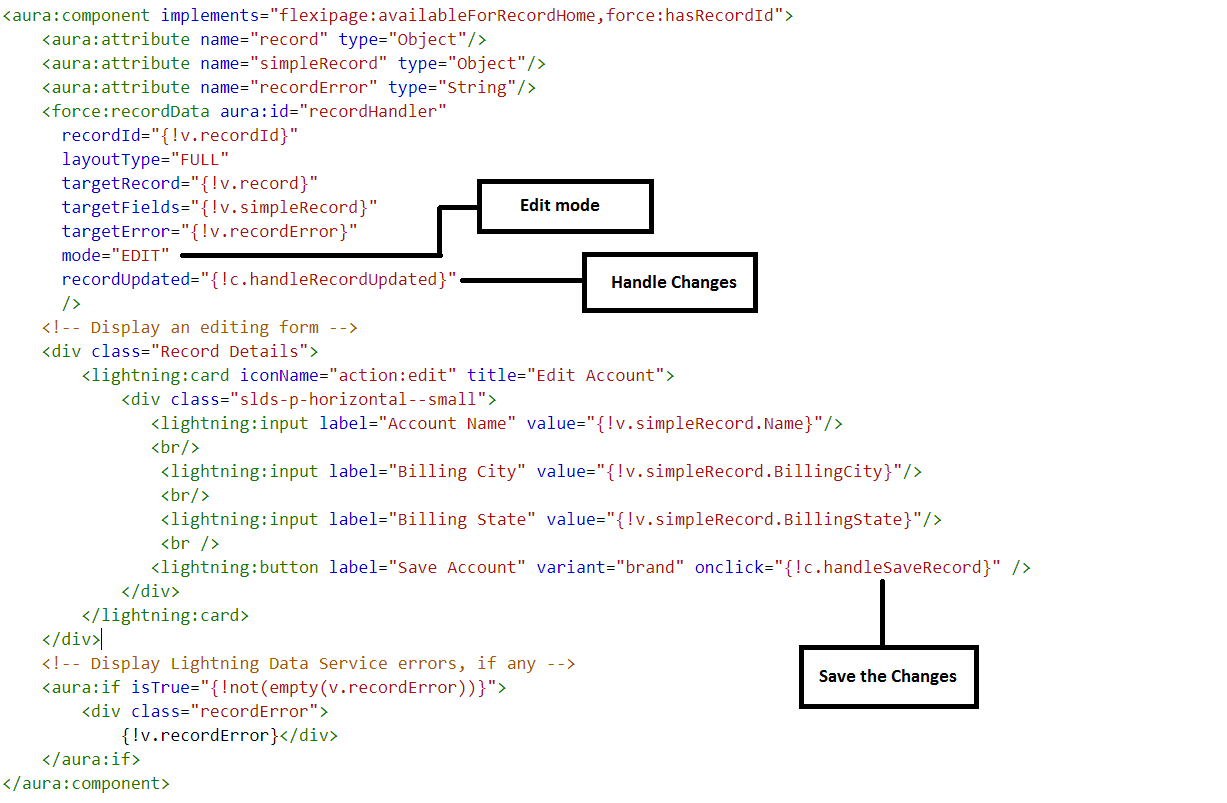
Record in Edit Mode Before Changes:

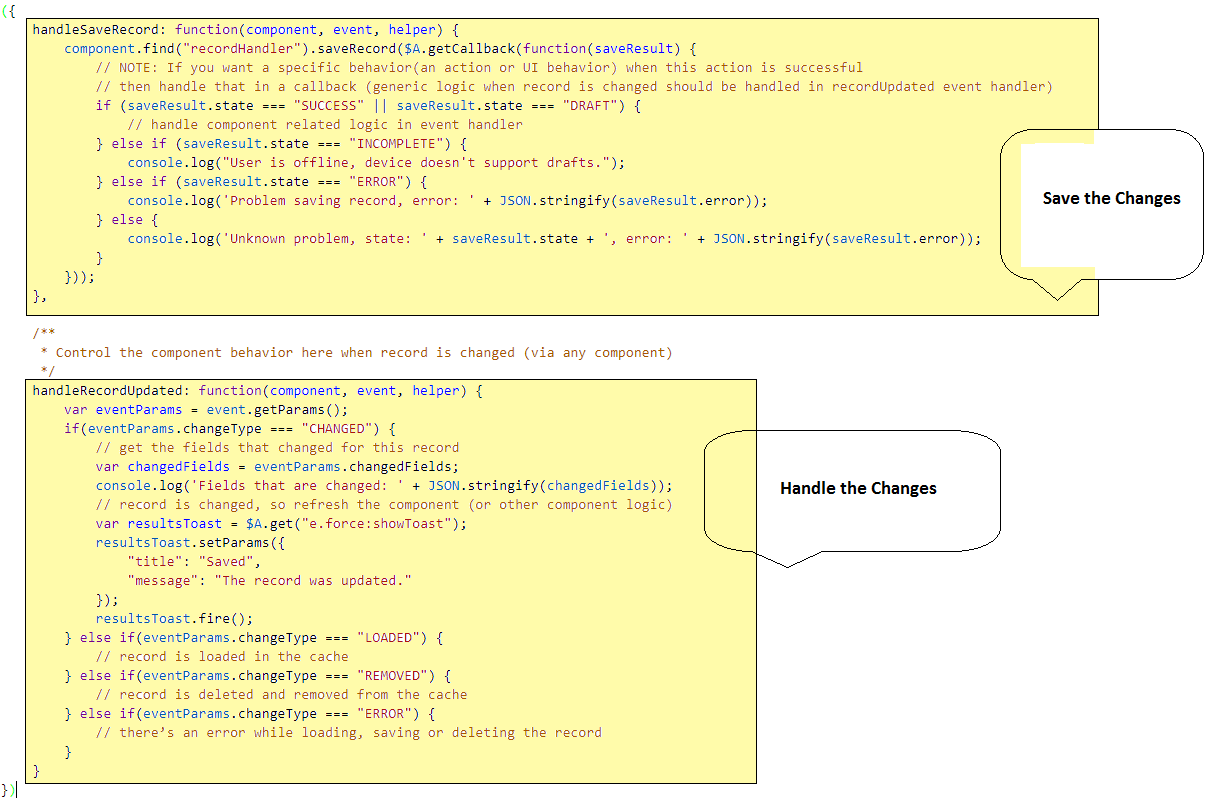
Now call the saveRecord inside the component handler named handleSaveRecord
- saveRecord takes one argument—a callback function to be invoked when the operation completes.
- This callback function receives a SaveRecordResult as its only parameter.
- SaveRecordResult includes a state attribute that indicates success or error, and other details you can use to handle the result of the operation.
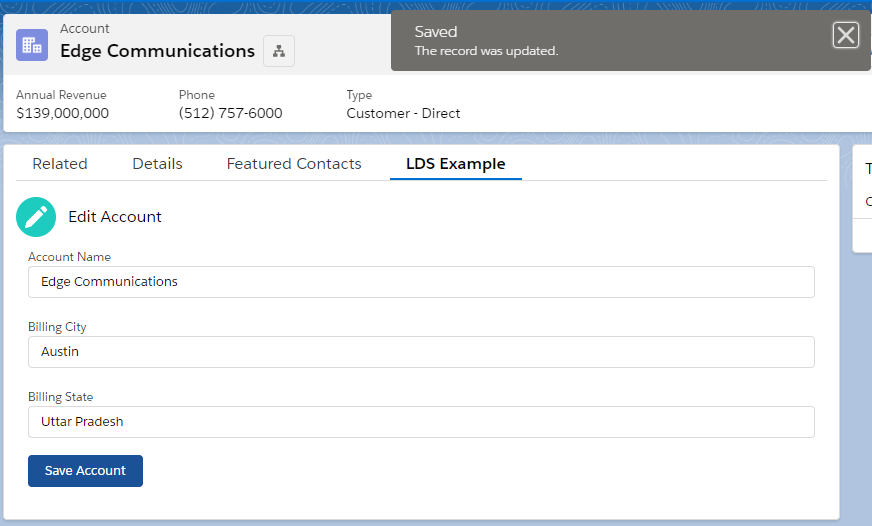
After Changes Now the Final Output is :
I hope my blogs are useful for you guys. Please share your feedback in comments.
 SFDCWallah
Leave a comment