There are 3 steps for creating & saving a new record using Lightning Data Service:
- Declare force:recordData without assigning a recordId.
- Load an empty record template by calling the getNewRecord function on force:recordData.
- Apply values to the new record, and save the record by calling the saveRecord function on force:recordData.
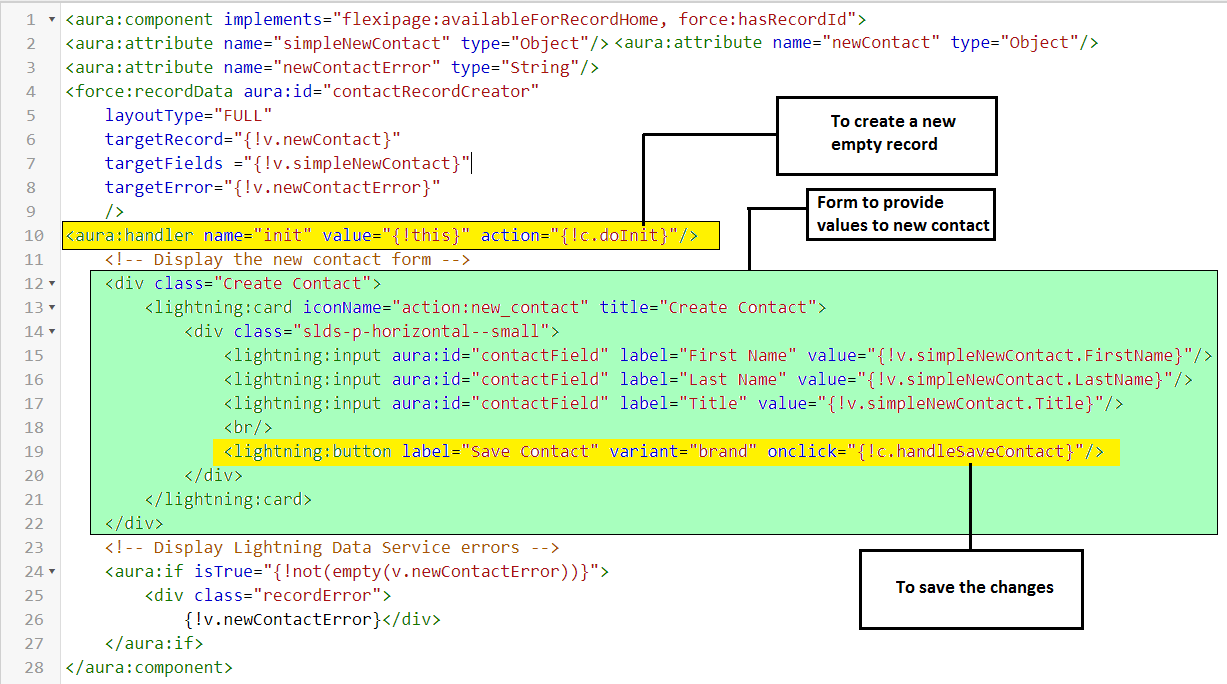
In your component’s init or another handler, call the getNewRecord on force:recordData.
getNewRecord takes the following arguments:
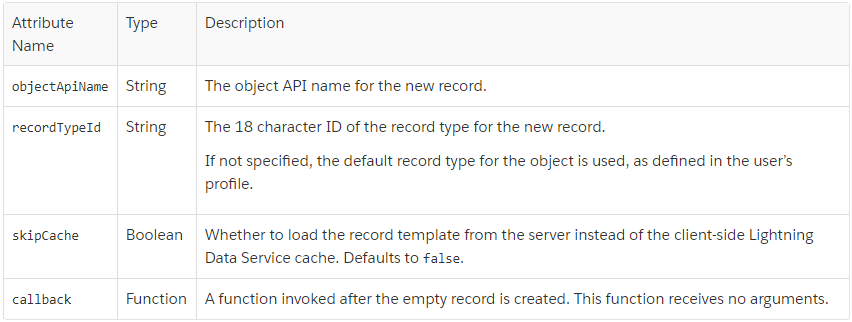

- getNewRecord doesn’t return a result. It simply prepares an empty record and assigns it to the targetRecord attribute.That’s why we are using targetRecord in this component.
- This component doesn’t set the recordId attribute of force:recordData.
- This tells Lightning Data Service to expect a new record.
Complete JS Controller :

Points Regarding to Saving a Record i will share in a different post.
 SFDCWallah
Leave a comment